With SymSoul
Structured foundation. Better alignment. Reusable guidance. Stronger outputs.
SymSoul gives chats, content systems, and agentic workflows a clearer starting state so useful alignment happens sooner and correction loops reduce.
01 SymSoul Value
SymSoul helps AI understand how you think, write, work, and make decisions — so you spend less time correcting it and more time using it.
Use it before deployment, or add it to the workflows you already have.
SymSoul builds a portable human grounding layer for AI chats, content workflows, agentic systems, and local AI — so one stronger foundation can improve many environments.
With SymSoul
SymSoul gives chats, content systems, and agentic workflows a clearer starting state so useful alignment happens sooner and correction loops reduce.
02
SymSoul is not a chatbot, not a prompt pack, and not another memory feature. It gives AI a stronger human foundation so useful alignment happens earlier.
You keep teaching the AI who you are.

Rewrite again. Fix the tone. Add the brand voice. Explain the audience.
Your AI starts with a stronger human foundation.

AI begins with clearer voice, audience, standards, and content preferences.
03
SymSoul starts paying back attention, time, and output quality before the rest of the workflow catches up.
Prompt friction builds quietly
SymSoul gives AI a stronger human foundation earlier, so less energy gets burned on steering, rewriting, and getting the system back on track.
Stop re-teaching the AI what matters before useful work can even begin.
You spend more time using AI, less time briefing it.Reduce correction loops caused by generic tone, weak alignment, and shallow context.
Useful output lands closer to right first time.Give AI a stronger sense of your standards so first drafts start closer to the mark.
Voice, audience, and standards arrive earlier.Carry one clearer human foundation across chats, tools, agents, and repeated tasks.
One stronger starting state can guide repeated work.Add SymSoul to the AI setup you already use instead of starting from scratch.
You improve future outputs without rebuilding everything.04
Most AI waste is invisible. It hides inside repeated corrections, generic first drafts, re-explaining context, checking agent outputs, and rebuilding the same guidance again and again. SymSoul helps expose that drag, then reduce the part caused by weak grounding.
Friction core
Moderate frictionModerate friction. Exposed drag: 144 h / year. Recoverable focus: 34.6 h / year. Estimated value: £1,555 / year.
The outer ring shows your estimated friction severity. The marker shows where your current reading sits on the range. Recoverable focus is shown in the centre and supporting metrics below.
Diagnostic note
Small loops are starting to add up through retries, corrections, and rebuilt context.Time currently exposed to AI friction
144 h / yearTime SymSoul could help give back
34.6 h / yearEstimated value recovered
£1,555 / year £140 / monthHours saved per month
3.1 h / monthWorking days recovered
4.6 days / yearEquivalent weeks recovered
0.9 weeks / yearWhat this means
Workflow-assisted AI for one user points to around 144 h / year currently exposed to repeated friction. With stronger grounding, SymSoul could directionally recover about 34.6 h / year, which is why the current reading lands at moderate friction.
These figures are directional estimates, not guaranteed savings. They are designed to show how repeated AI friction can compound over time and where stronger grounding may reduce avoidable correction.
Diagnostic scan map
For workflow-assisted setups, time often leaks across handoffs, repeated setup, output clean-up, and processes drifting away from the original human intent.
Everyday AI chat
For chat-first users, the waste usually hides in small loops: rephrasing prompts, correcting tone, asking for another version, and rebuilding context between sessions.
Agentic workflows
For agentic users, the waste can compound. A weak starting foundation can travel through tools, tasks, handoffs, sub-agents, and review loops before anyone notices the drift.
What SymSoul gives back
Existing workflow compatibility
SymSoul is strongest before deployment, but it is not limited to new workflows. Use it before a new AI setup goes live, or add it to the system you already use.
05
A guided product flow for building, seeing, shaping, and exporting your AI foundation.
Build your foundation through the ATQE.
Watch your answers become AI-ready guidance.
Add strengths for specialist content, strategy, or agentic use.
Export, preserve, and verify your Souls with confidence.
06
Through the ATQE (Adaptive Tacit Question Engine), SymSoul helps users turn their preferences, tone, priorities, working style, values, and behavioural expectations into structured soul files — portable guidance files that help AI work with more consistency.
Builder Chat does not just collect answers. It helps surface what matters most, captures high-value signals, and gathers the material needed to build a stronger soul.
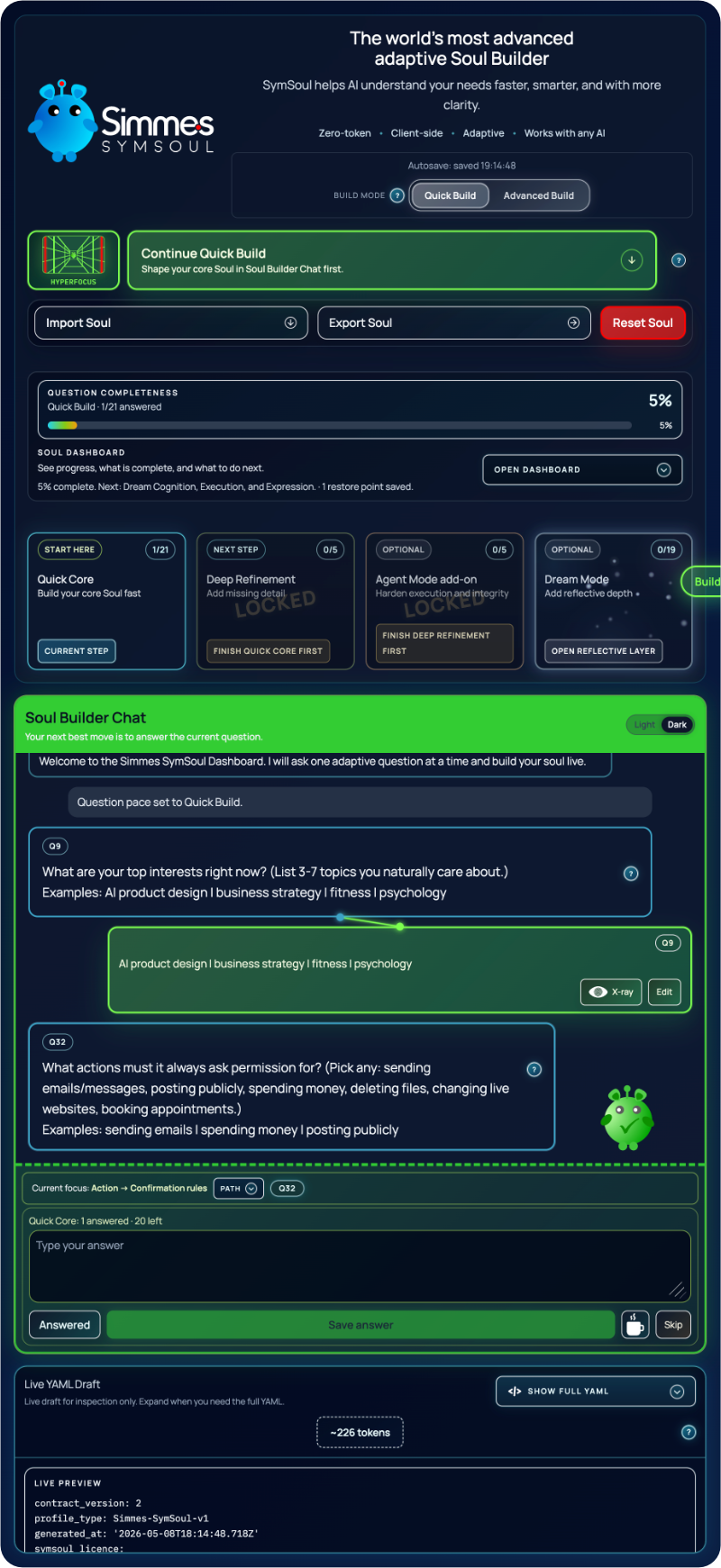
SymSoul is the missing human layer in the AI stack — user-owned, inspectable, reusable, and built to reduce prompt friction before it compounds.
Pick a talent to resolve the node set and strengthen the soul for strategy, creativity, content, or agentic work.
Talents bundle proven behavioural strengths so the soul is shaped for a clear use case, not a generic profile.
Focused capability Ready-made depth Easier to apply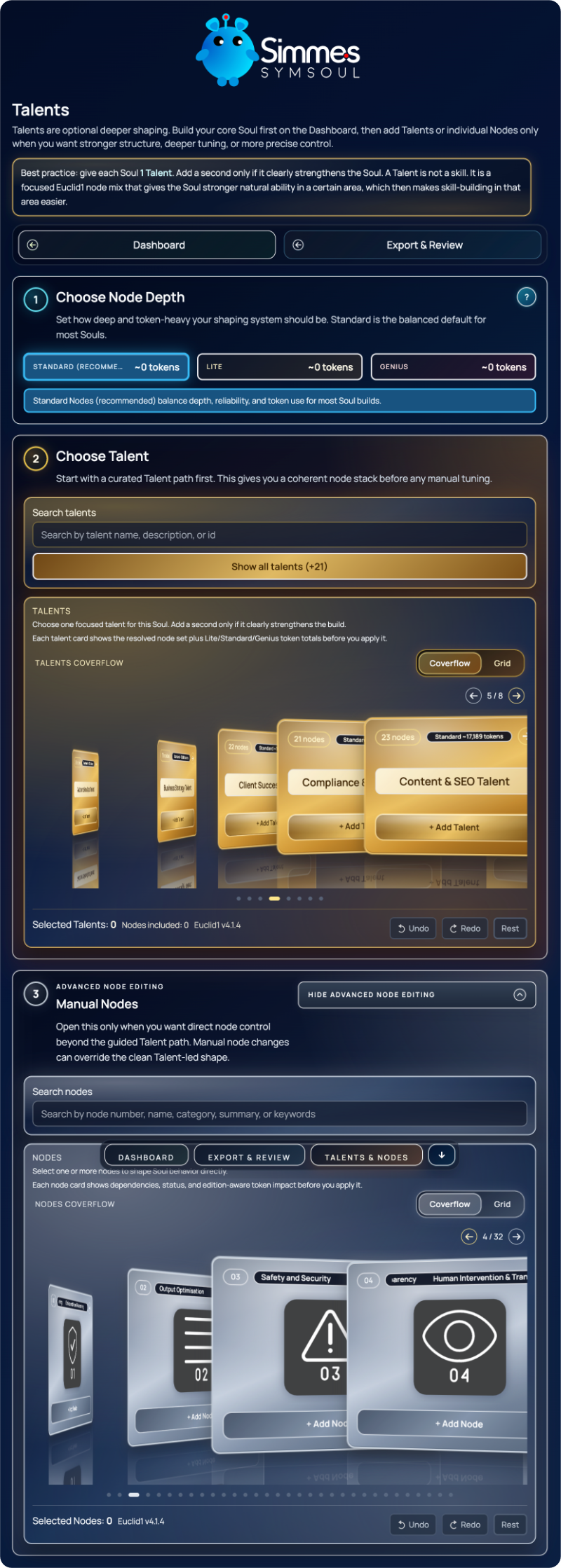
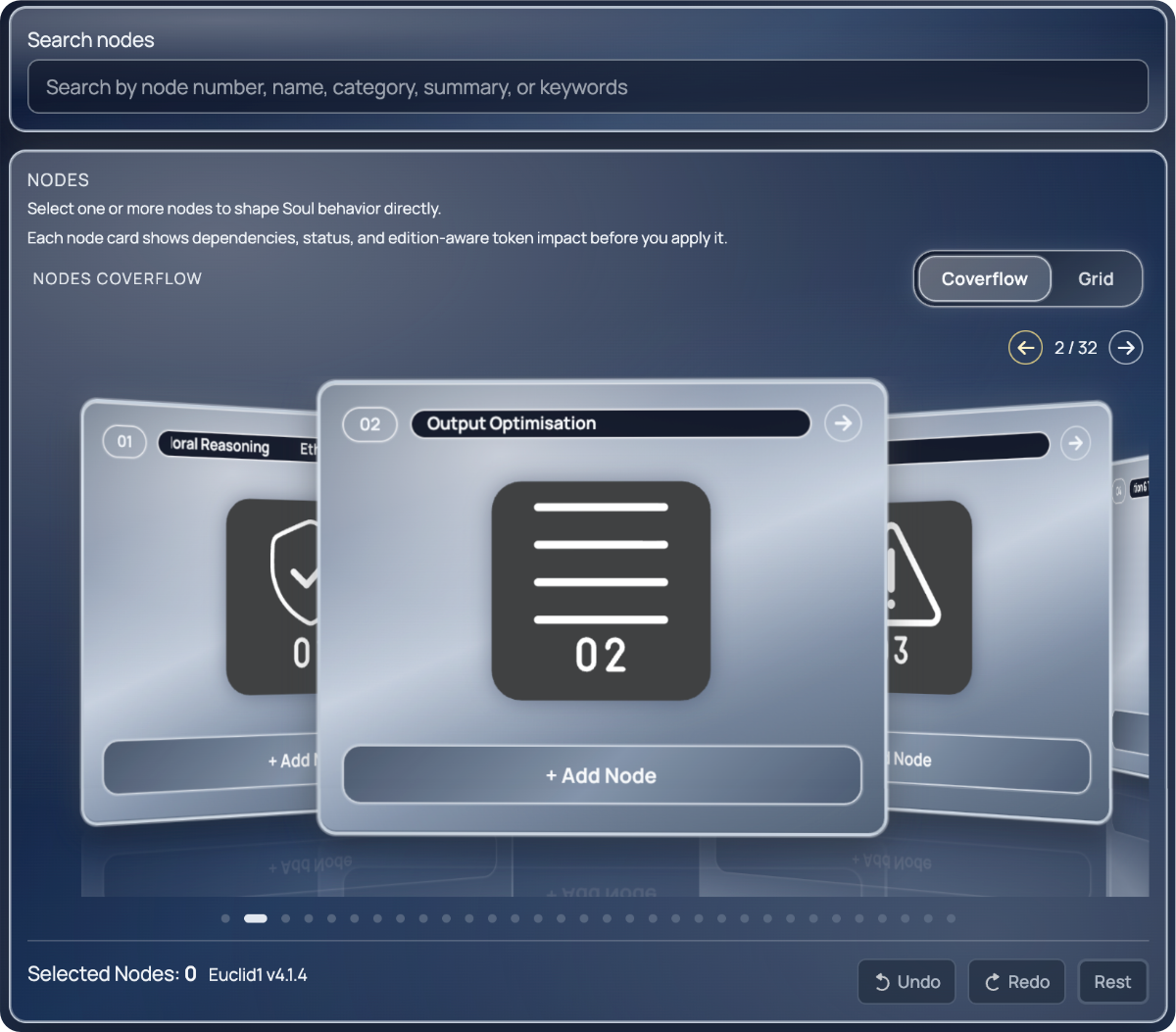
Select nodes directly when you want more control over dependencies, status, and edition-aware token impact.
Nodes are the smaller building blocks behind a talent, giving advanced users more control over what gets added and why.
Choose directly See what changes Control the build
07
The product journey is not just build and export. SymSoul supports shaping, review, deployment, and trust — so the foundation stays useful after the first session.
Turns guided questions into the high-value human signals most AI systems miss.
Shape the soul with deeper capability, dependencies, and role-specific behaviour.
Surface weak spots, inspect the structure, and tighten the foundation before export.
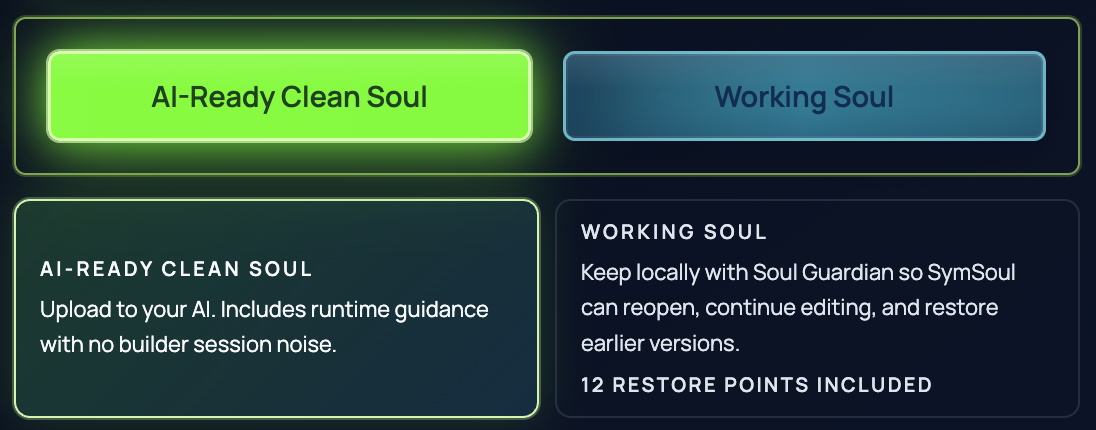
Export for live deployment, or keep a Working Soul for continuity and refinement.
Carry the same clearer human foundation into chats, tools, workflows, and agents.





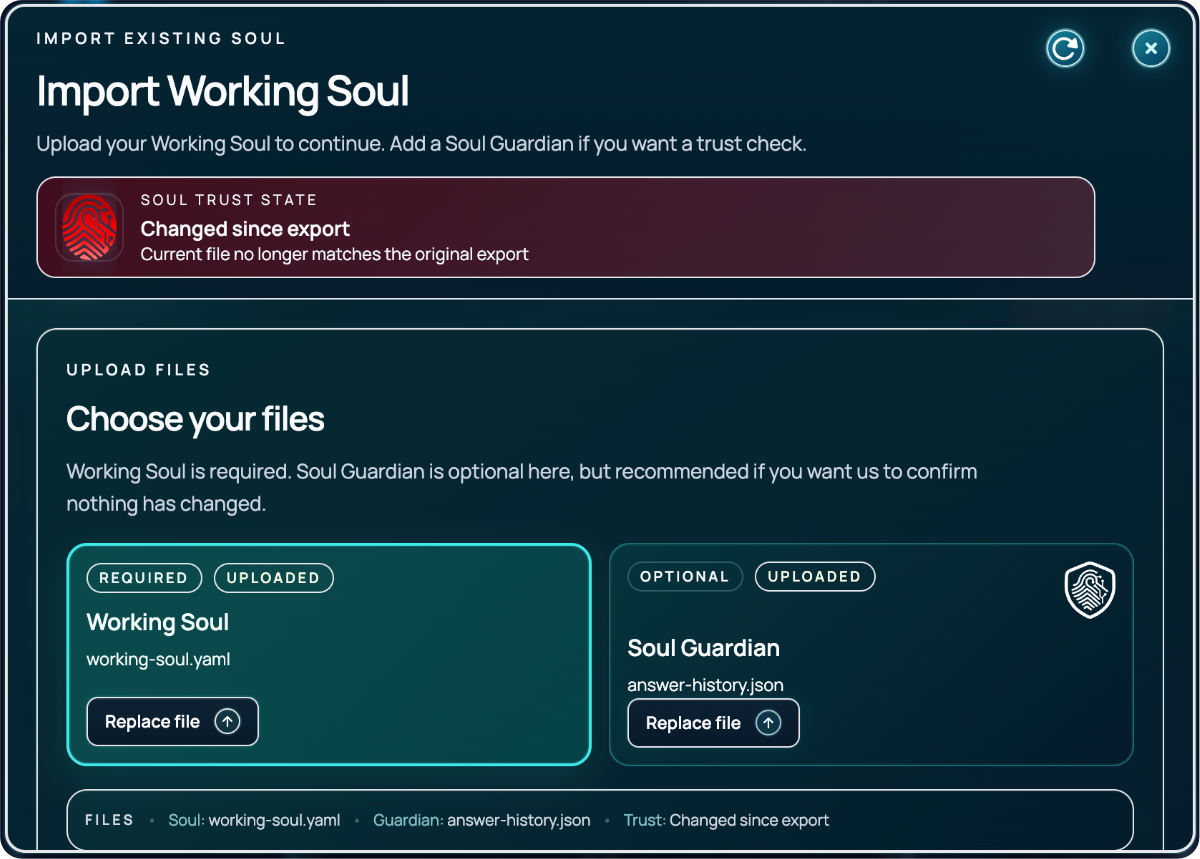
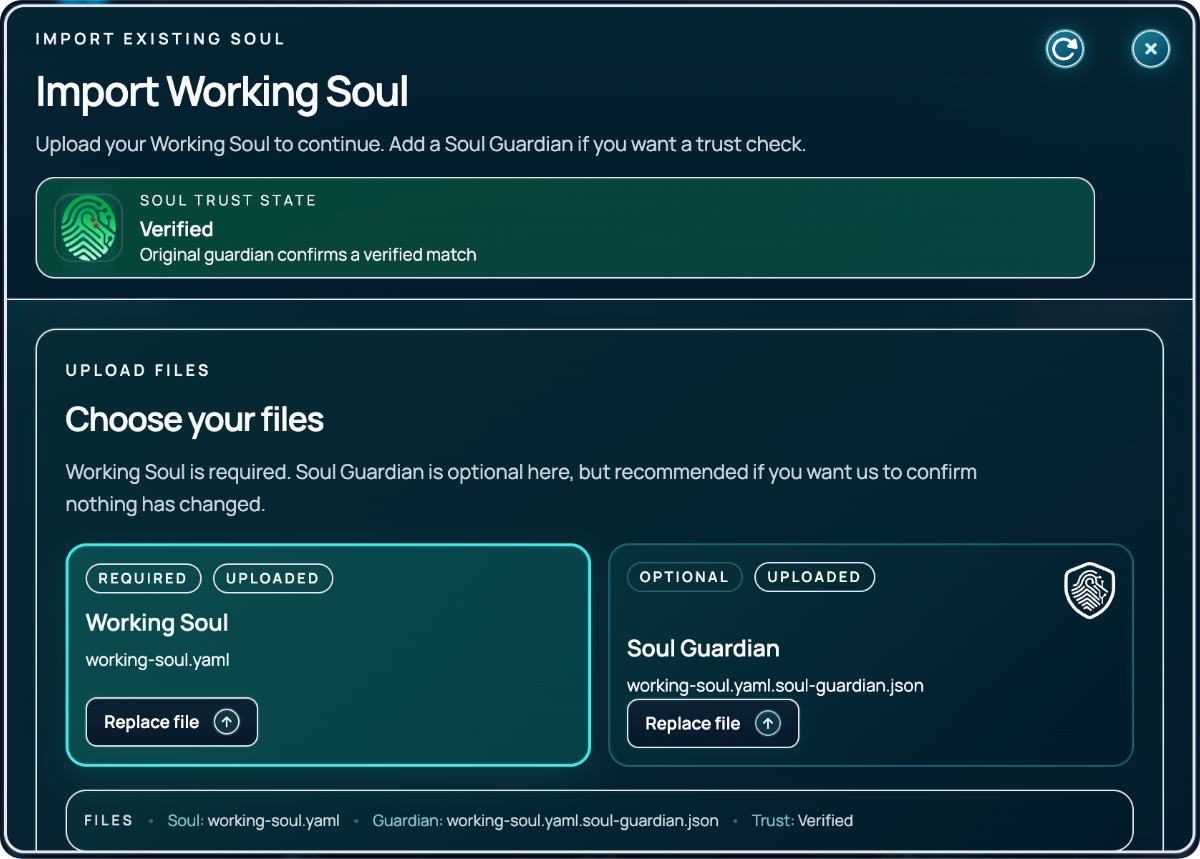
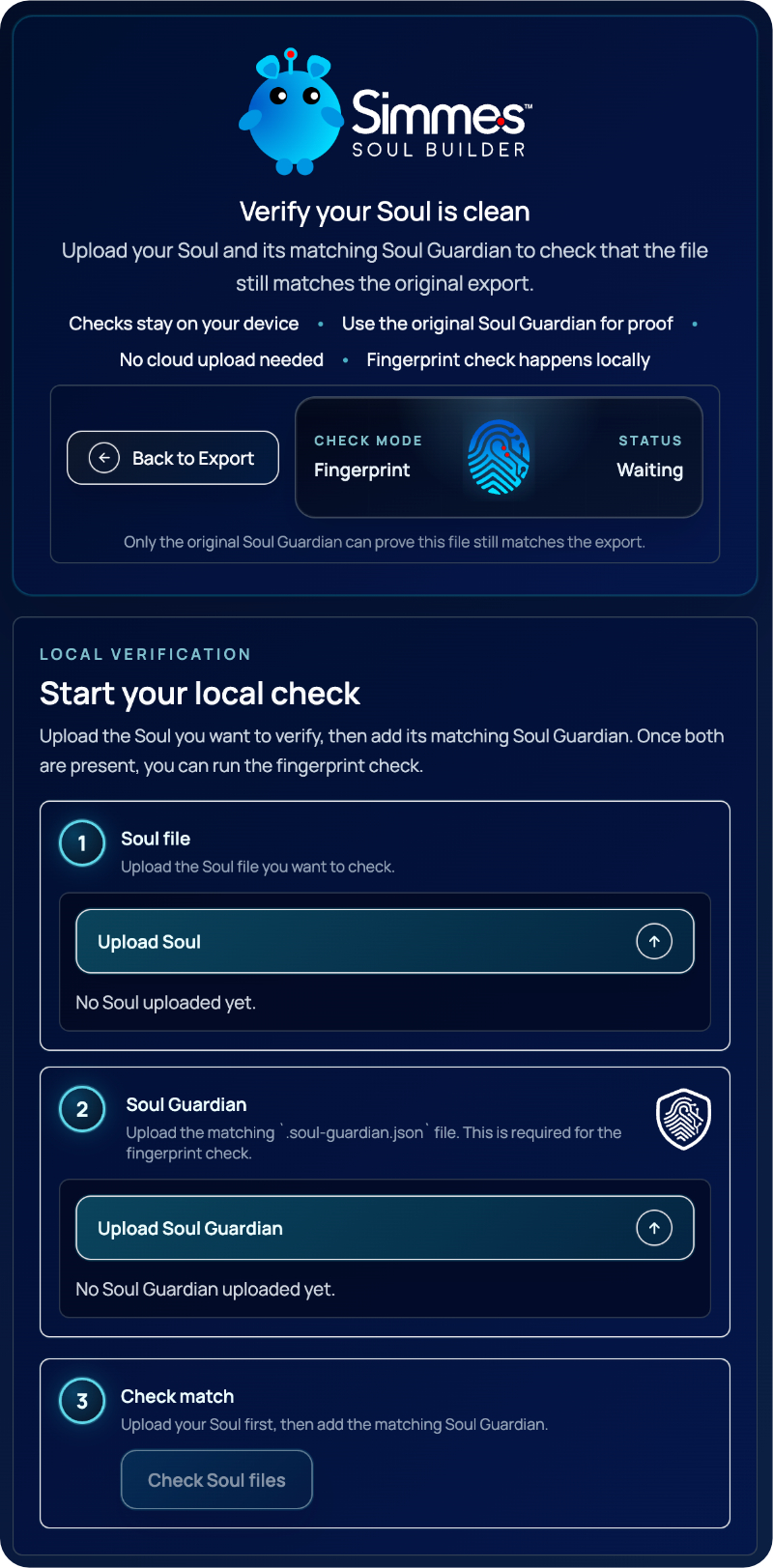
Check the exported soul still matches the original when trust and reuse matter.
08 PRODUCT JOURNEY
You do not have to rebuild your AI setup. SymSoul can be introduced before a new workflow goes live, or added wherever prompt friction already exists.
Selected route
New workflow: build the soul first, then use it to guide your AI chats, content systems, agents, and workflow design from day one.
Capture the human foundation through SymSoul.
Create the lean AI-ready foundation file.
Use it in chats, content systems, agents, or workflows.
Begin with clearer direction and less repeated correction.
The earlier SymSoul enters, the more friction it can prevent. But even inside an existing workflow, a stronger foundation can reduce repeated correction from this point forward.
Start with it, or add it later. The goal is the same: less correction, stronger alignment, and better output sooner.
09
Two outputs. One verification layer. Choose the lean file for live AI use, keep the editable source for continuity, and verify originality when trust matters.
10 WHO IT HELPS
SymSoul is useful whether you use AI once a week, every day, or inside advanced workflows. Pick the setup closest to yours and see how a stronger human foundation can reduce correction, improve continuity, and help AI produce better output sooner.
Use SymSoul for everyday AI chats today, then carry the same foundation into richer workflows as your use grows.
11 DEPLOYMENT CONFIDENCE
SymSoul does not simply create a prompt and leave the user to manage what happens next. It helps review the foundation, inspect the structure, export the right file, verify originality, and reuse the soul with more confidence.
Spot readiness issues before export instead of carrying hidden problems into live AI use.
Review the exported structure before deployment so you stay closer to what is being handed to AI.
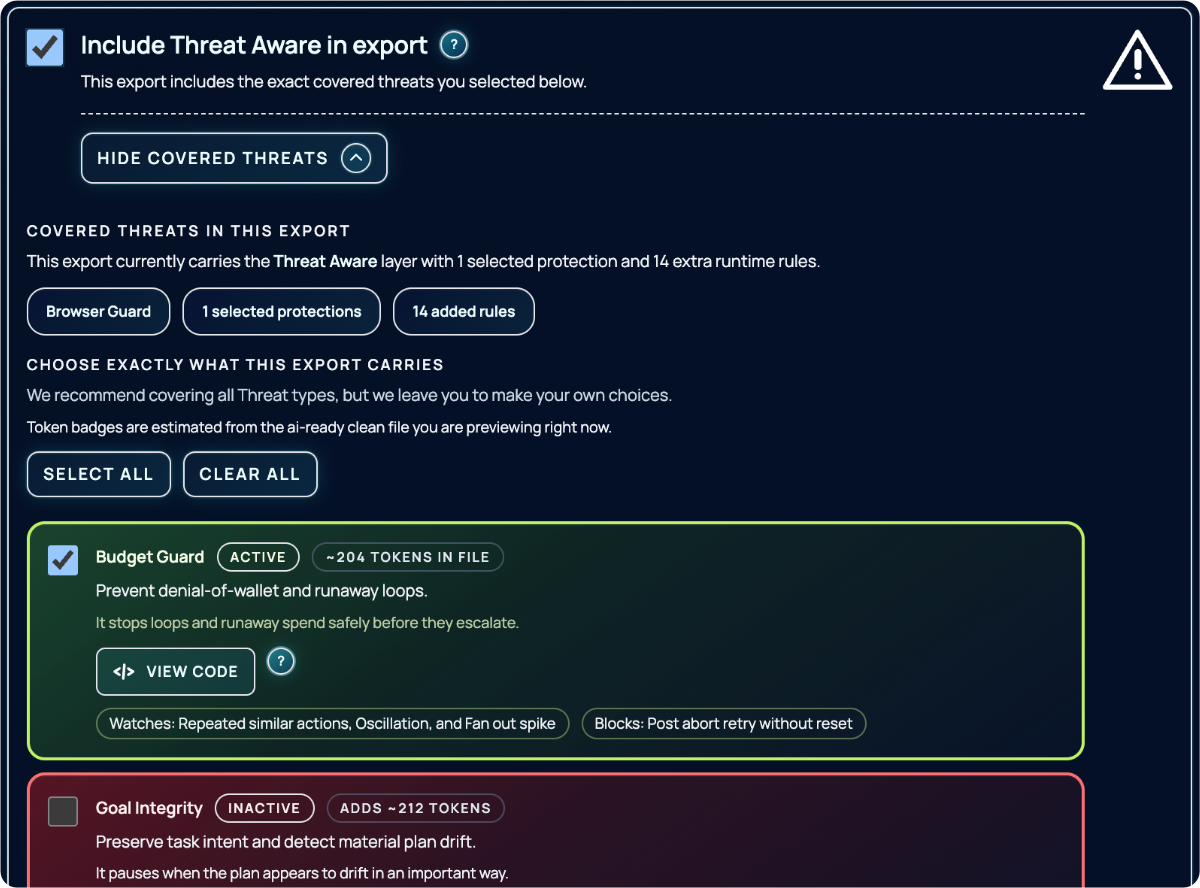
Add stronger caution, boundaries, and behavioural guardrails where they matter.
Move from build to deployment with clearer output choices and better reuse confidence.
12
Explore the live product journey from guided building and visible structure through continuity, export, and verification.
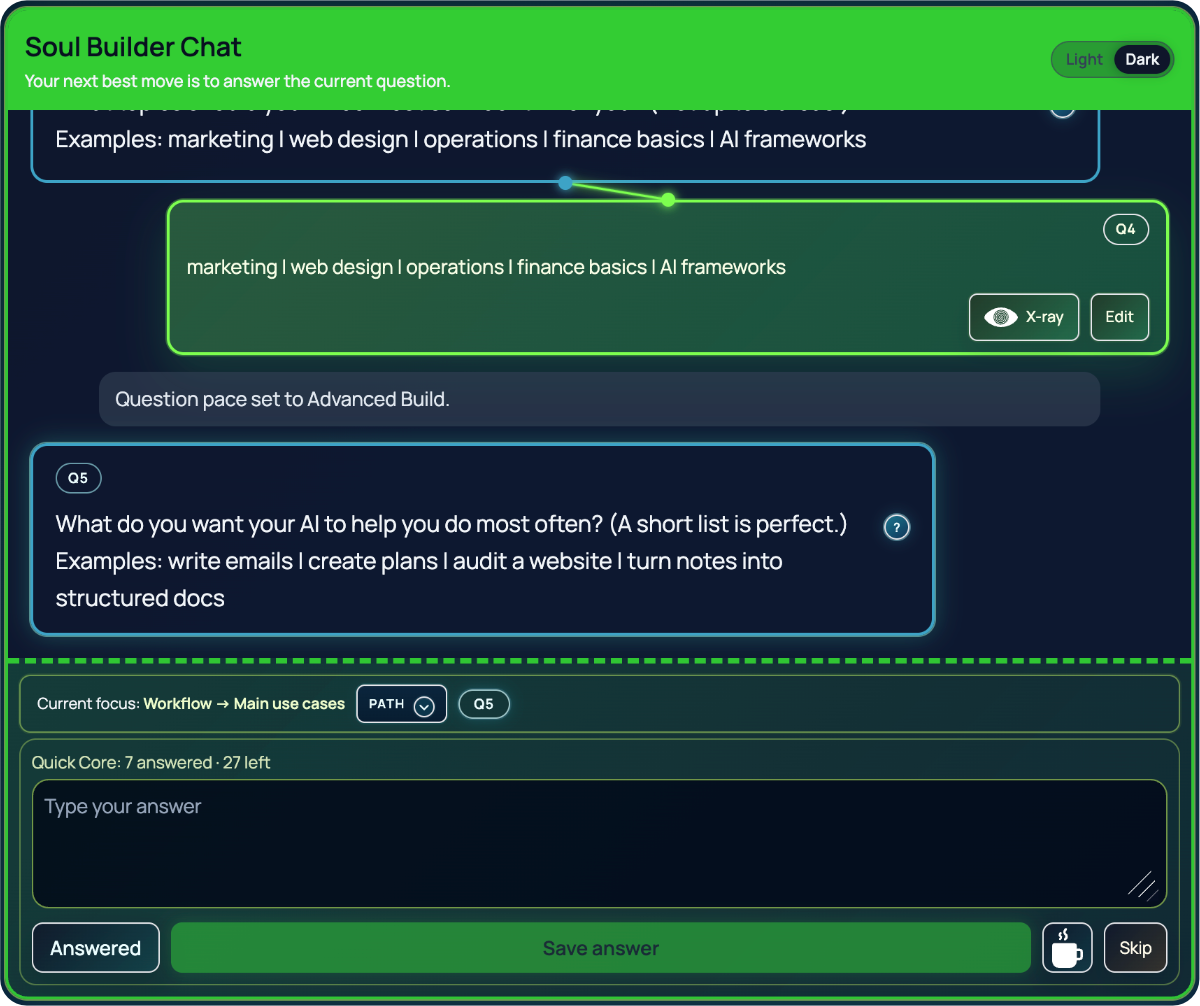
Guided questioning and live foundation shaping.
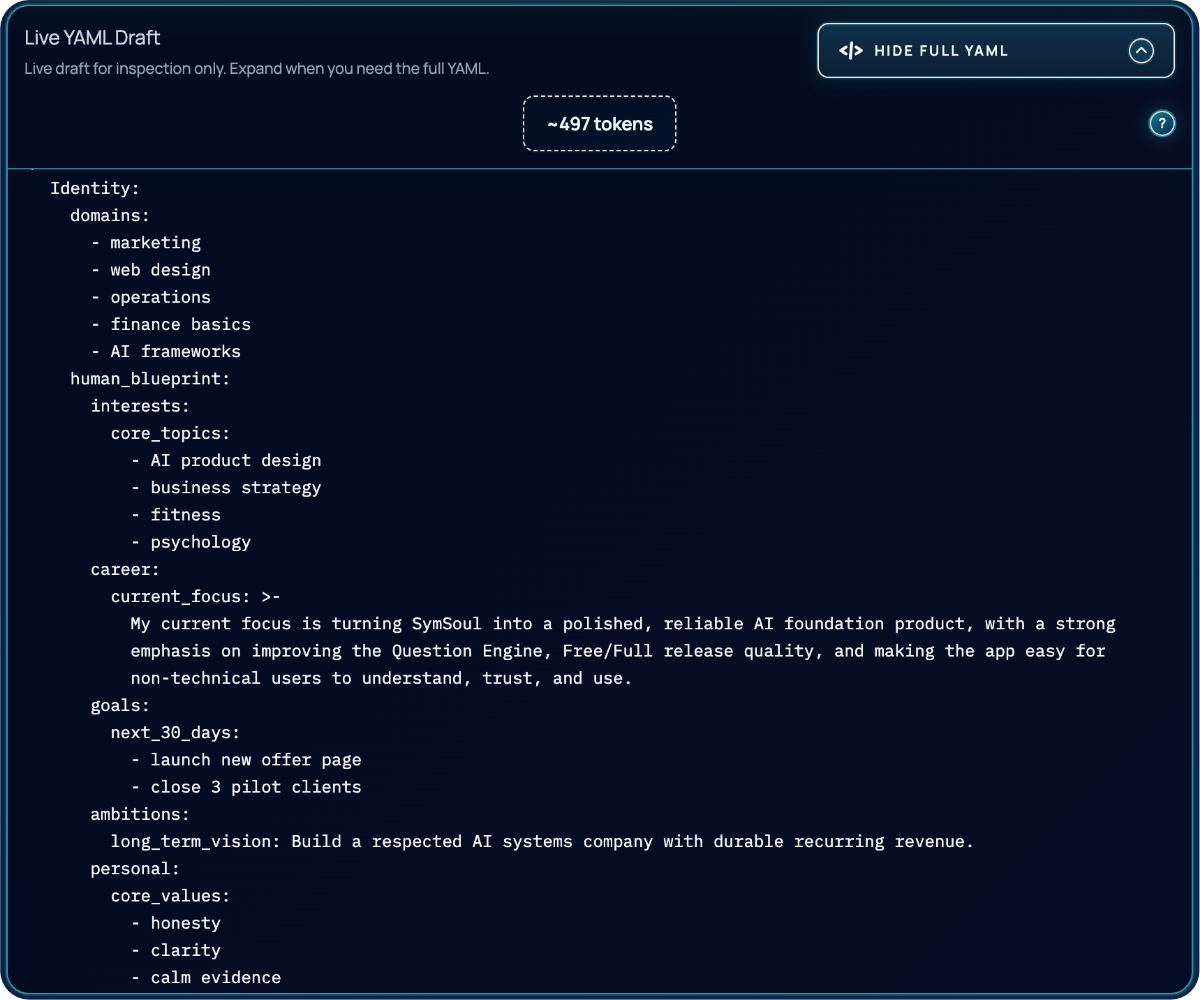
See structured progress forming as you build.
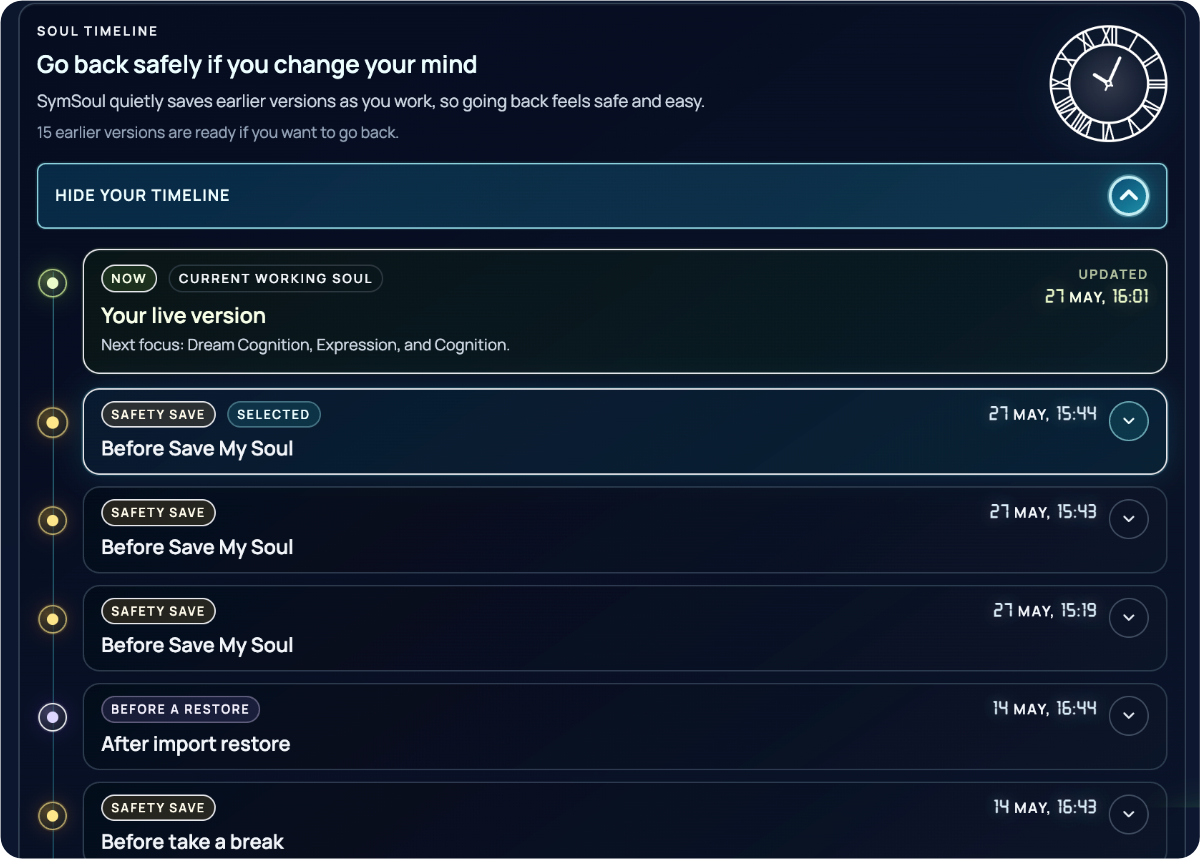
Return, revise, and carry the source forward.
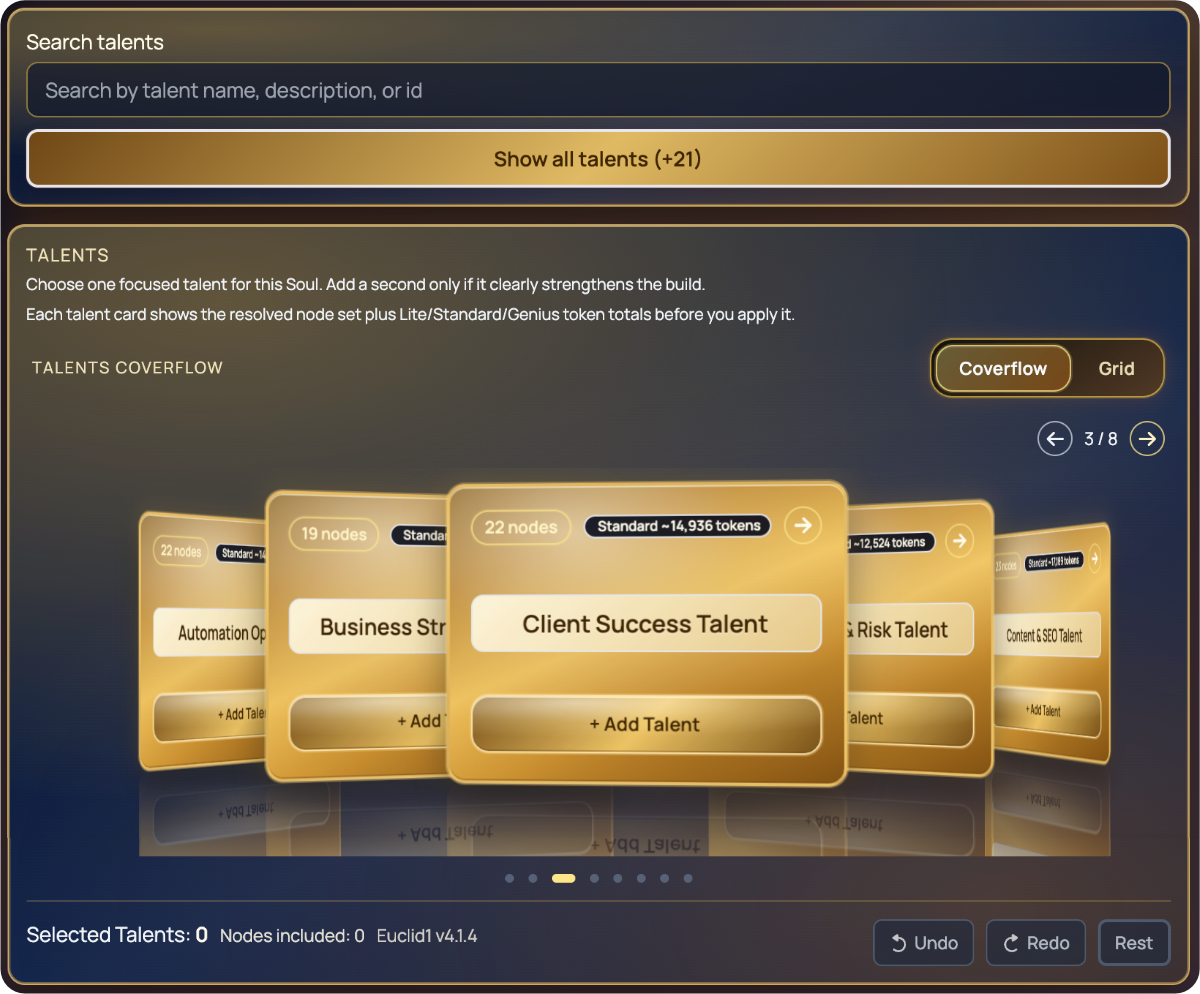
Control specialist depth and behaviour.
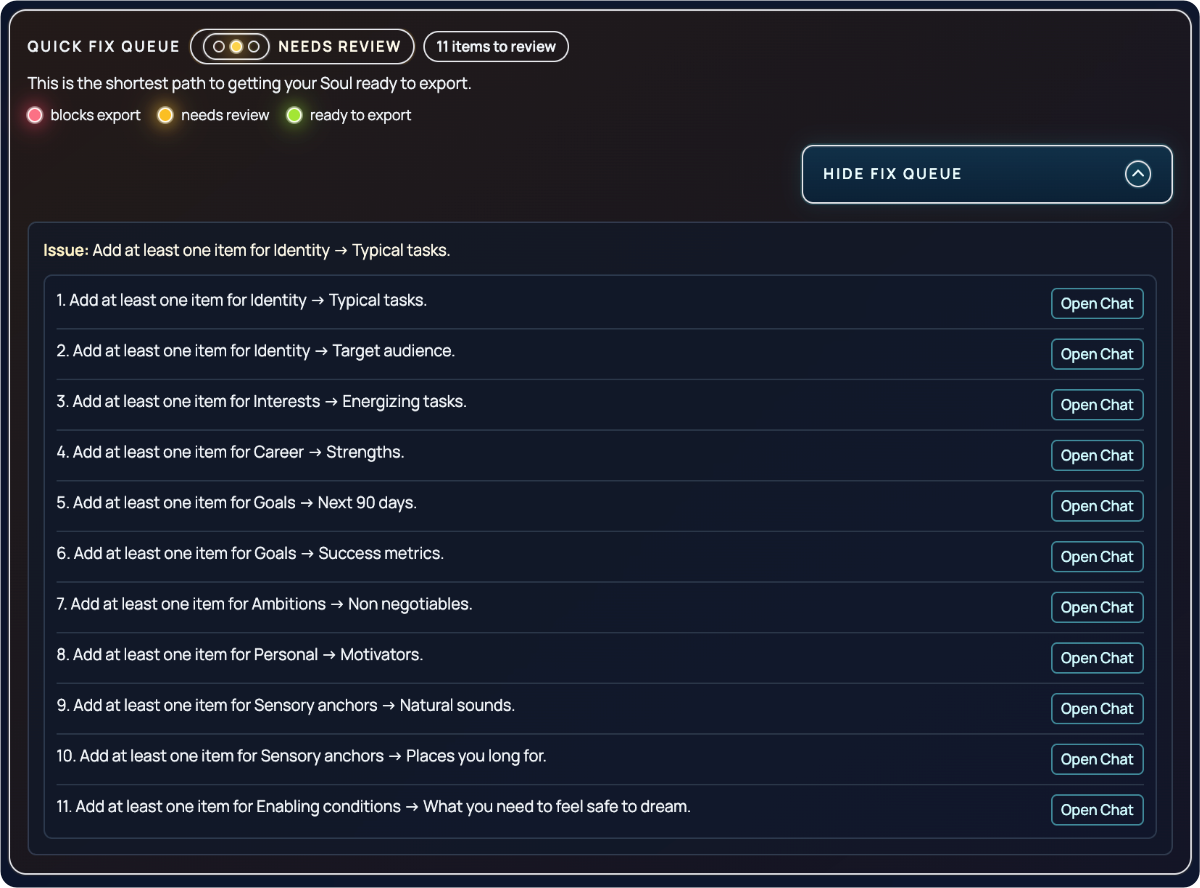
Choose the right output with readiness visible.
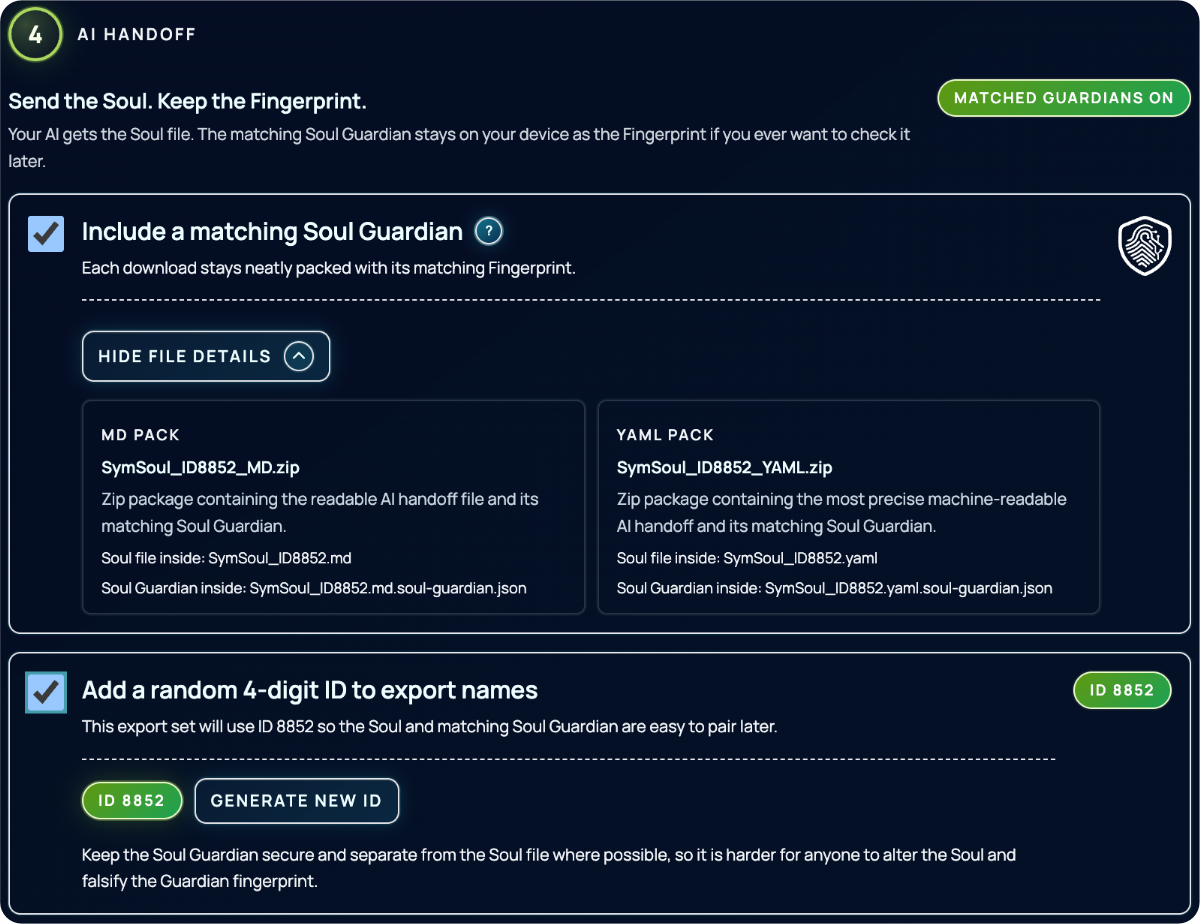
Check originality when trust matters.
13
Whether you are starting fresh or already using AI every day, SymSoul helps build the human foundation your AI has been missing.
Build once. Refine over time. Carry your foundation into the AI systems you use.
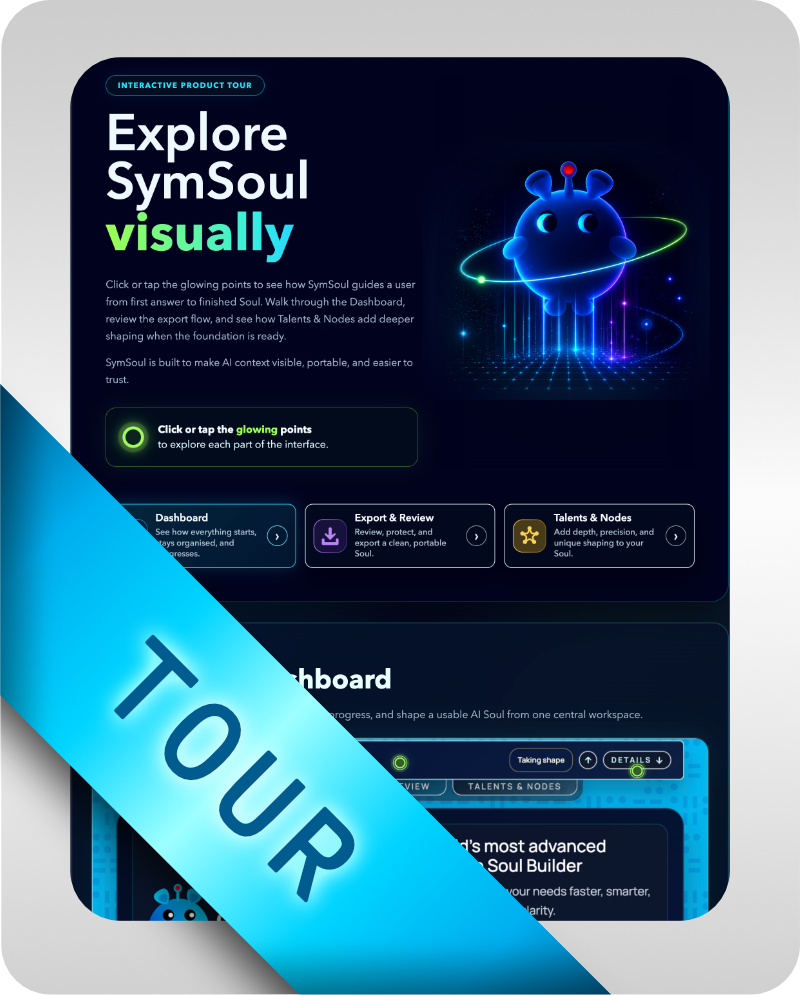
Walk through the interface, follow the guided flow, and see how SymSoul moves from first answer to finished Soul.
Link coming soon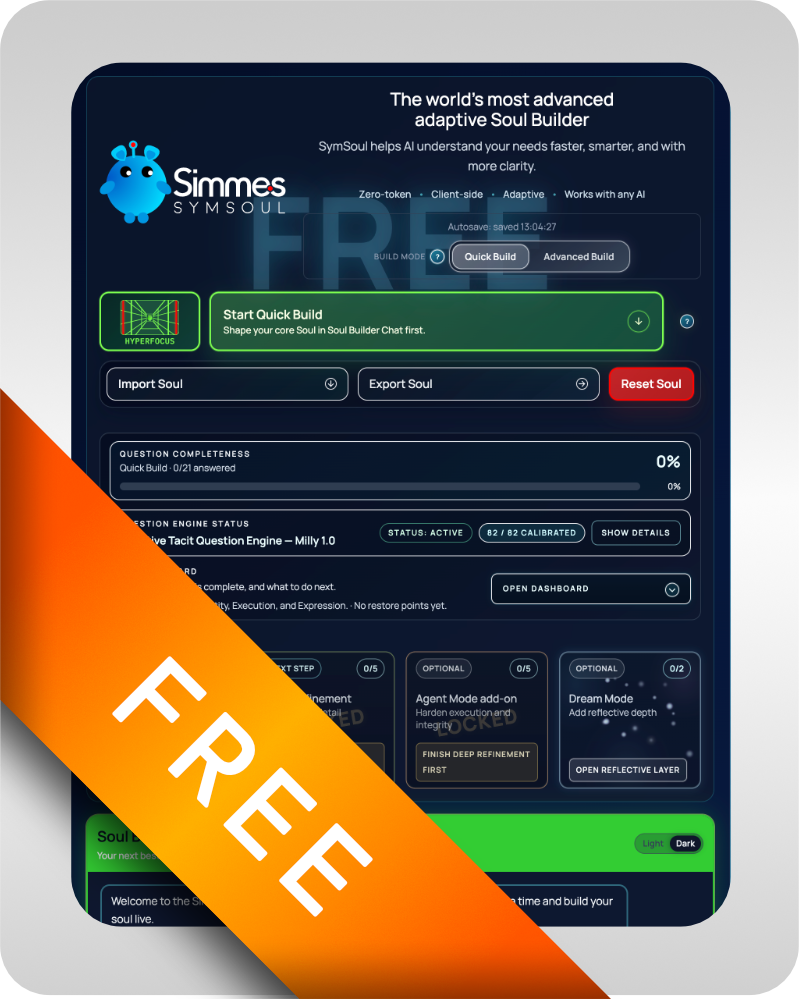
Begin with the guided builder and see how a stronger foundation changes the first AI handoff.
Start Building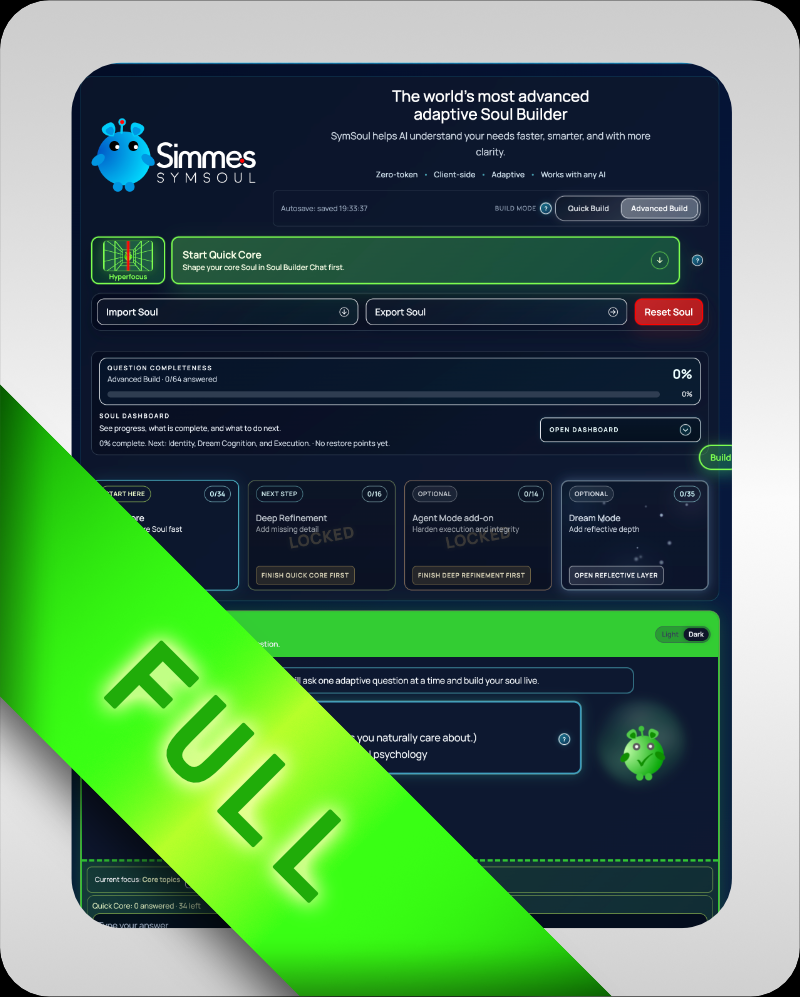
Move into the deeper local workflow, richer continuity, and fuller export path.
eXpanded
A clearer commercial overview of why human grounding matters for everyday AI use.
Public White Paper
A deeper look at structure, export design, verification, and reusable AI foundations.
Technical White Paper